
Profit Tracker - Keeping Track Of Your Money
IntroductionAs you continue your matched betting journey through the signup offers and, eventually, onto the reload offers you will quickly end up with a lot of money in a lot of different bookies. It can be very difficult to keep track of where your money is and, also, how much money you are making. This is where Outplayed’s Profit Tracker feature comes in.
The Profit Tracker is designed to help you keep track of all of your matched betting earnings and bookie balances - so you know exactly what your situation is for the day, week, month or year. It implements seamlessly into the Outplayed website and means that you can keep track of all of your matched betting activity in one place without the need for spreadsheets.
Accessing The Profit Tracker
You can access the Profit Tracker a number of ways:
- Through “My Account” and then selecting the “Profit Tracker” tab
- By selecting the Profit Tracker link in the Tools dropdown of the top navigation bar.
The Profit Tracker is split across 2 sections:
Profit Tracker
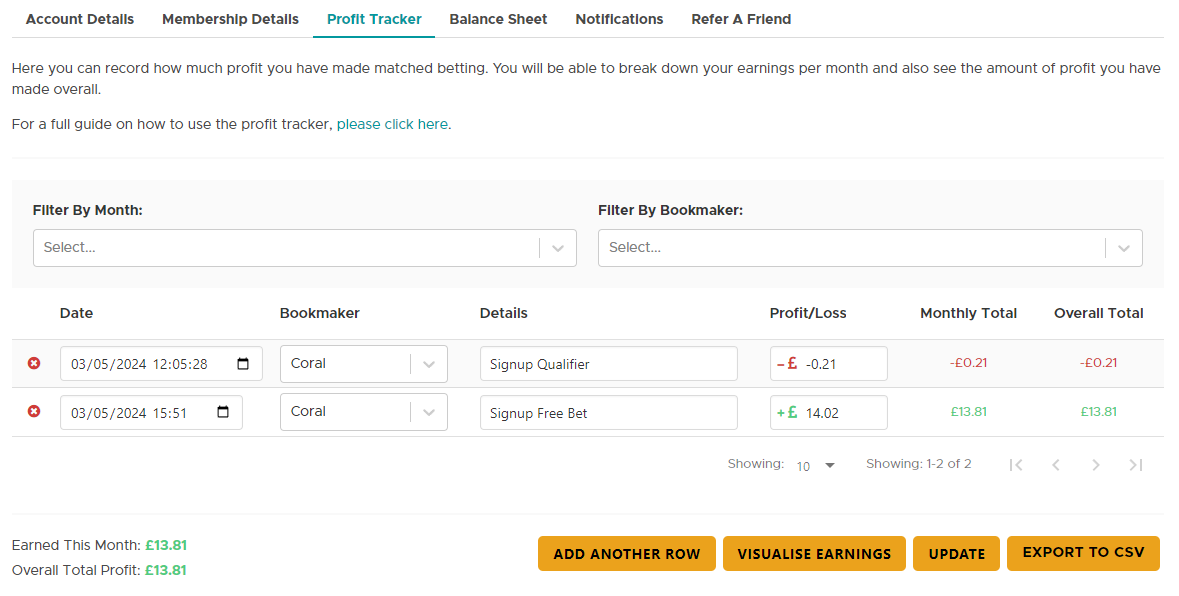
In this section you can record how much profit you have made through your matched betting.

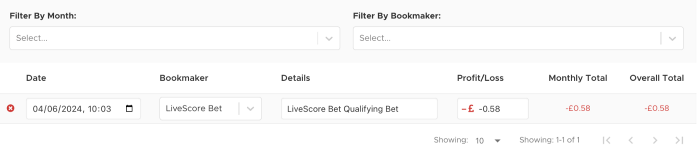
You can filter by month and also by bookmaker using these options to allow to see how you are doing month by month and, also, which bookie is performing best for you.

Below the filter options you have the data tracking itself. Where you can enter all of your matched betting activity with options for Date/Bookmaker/Details/ Profit or Loss/Monthly Running Total/Overall Running total

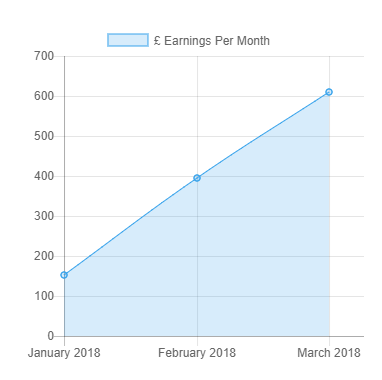
To add a bookmaker select add another row and if you make any changes please select update in order to save your changes. You also have the option to visualise earnings option which when selected will provide with a visual line graph of your earnings by month.
Balance Sheet
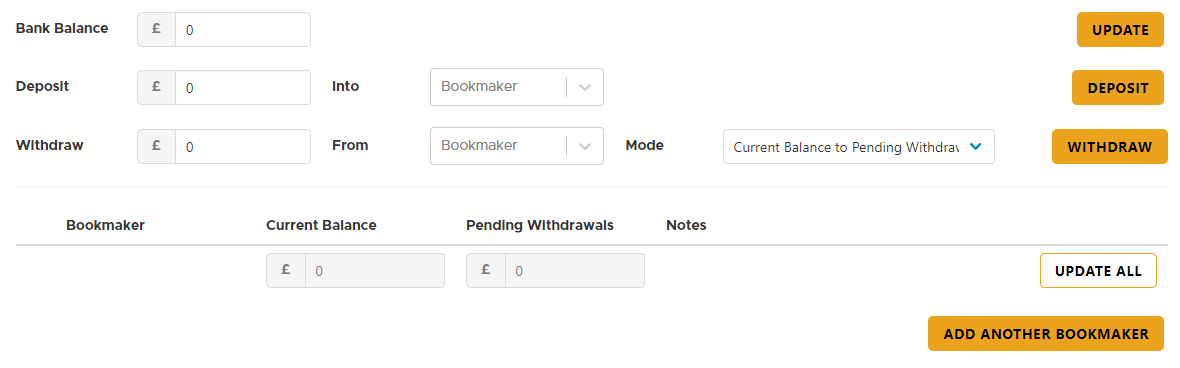
This is another tab to the Profit Tracker above. This will allow you to keep track of how much money you have in each bookmaker account. Set your starting amount in the Bank Balance box, and you can add or remove bookmakers as you need to. Please note that the withdraw and deposit functions for a bookmaker allow you to transfer money between your bank balance and the bookmaker as a cosmetic feature only, this feature does not actually move any money between your actual bank account and your bookmaker accounts.
Store From Oddsmatcher
After placing a bet through our embedded offer oddsmatcher, you'll see an option to "Save To Profit Tracker".
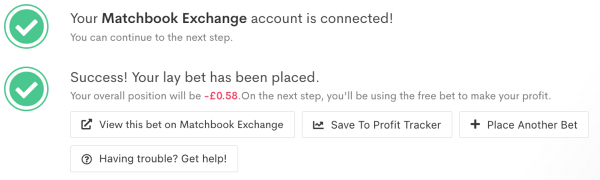
Clicking this will then store the bet for you in Profit Tracker.
 Store From Calculator
At the bottom of the standard calculator, you'll see a STORE button.
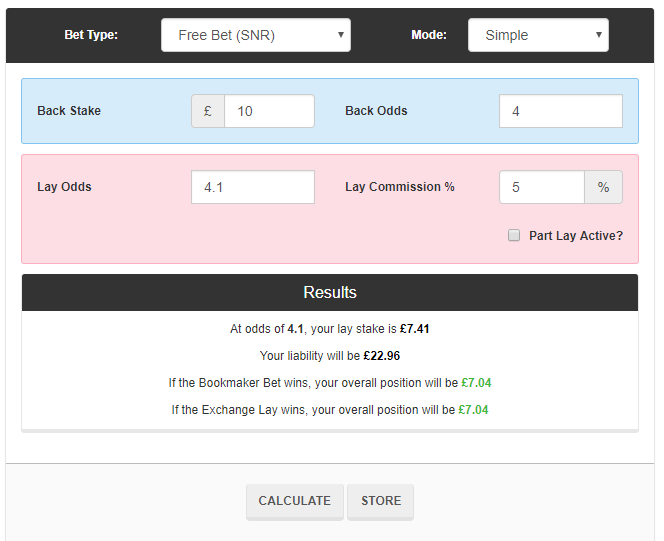
This allows you to quickly store your matched bets to your profit tracker
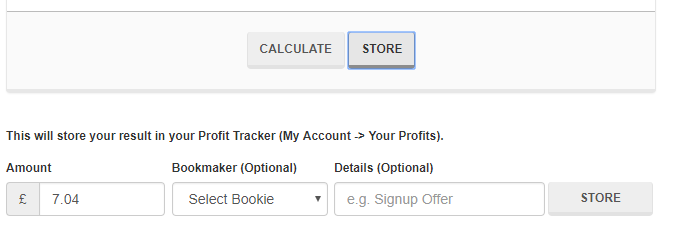
For an in-depth guide on how to use the Profit Tracker please watch the video tutorial at the top of this page
Spreadsheets
We aware that some members may still prefer the spreadsheet approach for keeping track of their progress. Here is a simplistic spreadsheet that can be used:
https://docs.google.com/spreadsheet/ccc?key=0ArvM4YvvNOxQdDk2SFZnTVRhYmlDZ2piQWs0M0RkOWc&usp=sharing
To use this yourself you'll need a Google account. When logged into Google, click "File" and "Make a Copy" to create your own version that you can edit. There are also several other alternatives you can use that have been posted on the forum by members.